

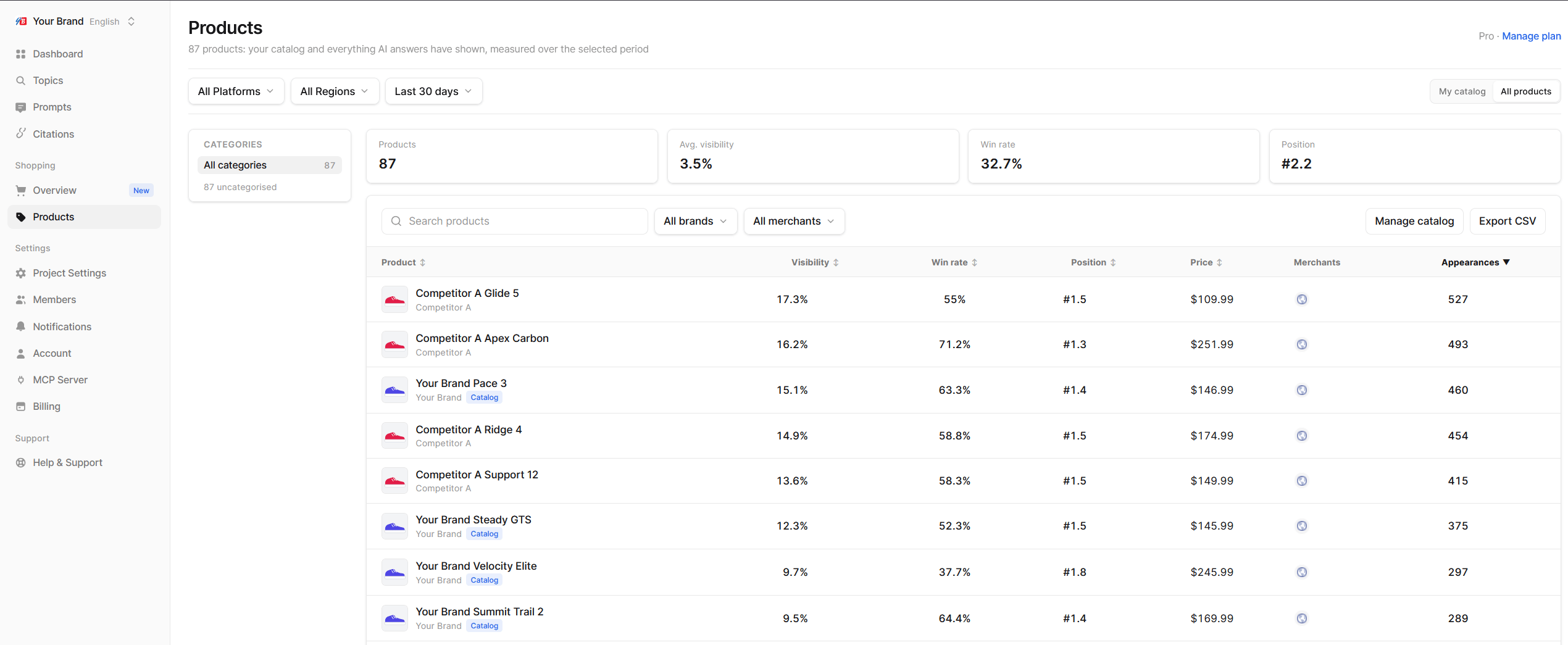
Find products
- Categories: the tree on the left narrows the list to one category. All categories resets it.
- Search products by name.
- Filter by brand, merchant or category from the toolbar.
- Use the Products filter at the top to switch between All products and My catalog.
The products table
Click Export CSV to download the current list (up to 10,000 rows). Add products or Manage catalog takes you to the catalog settings.
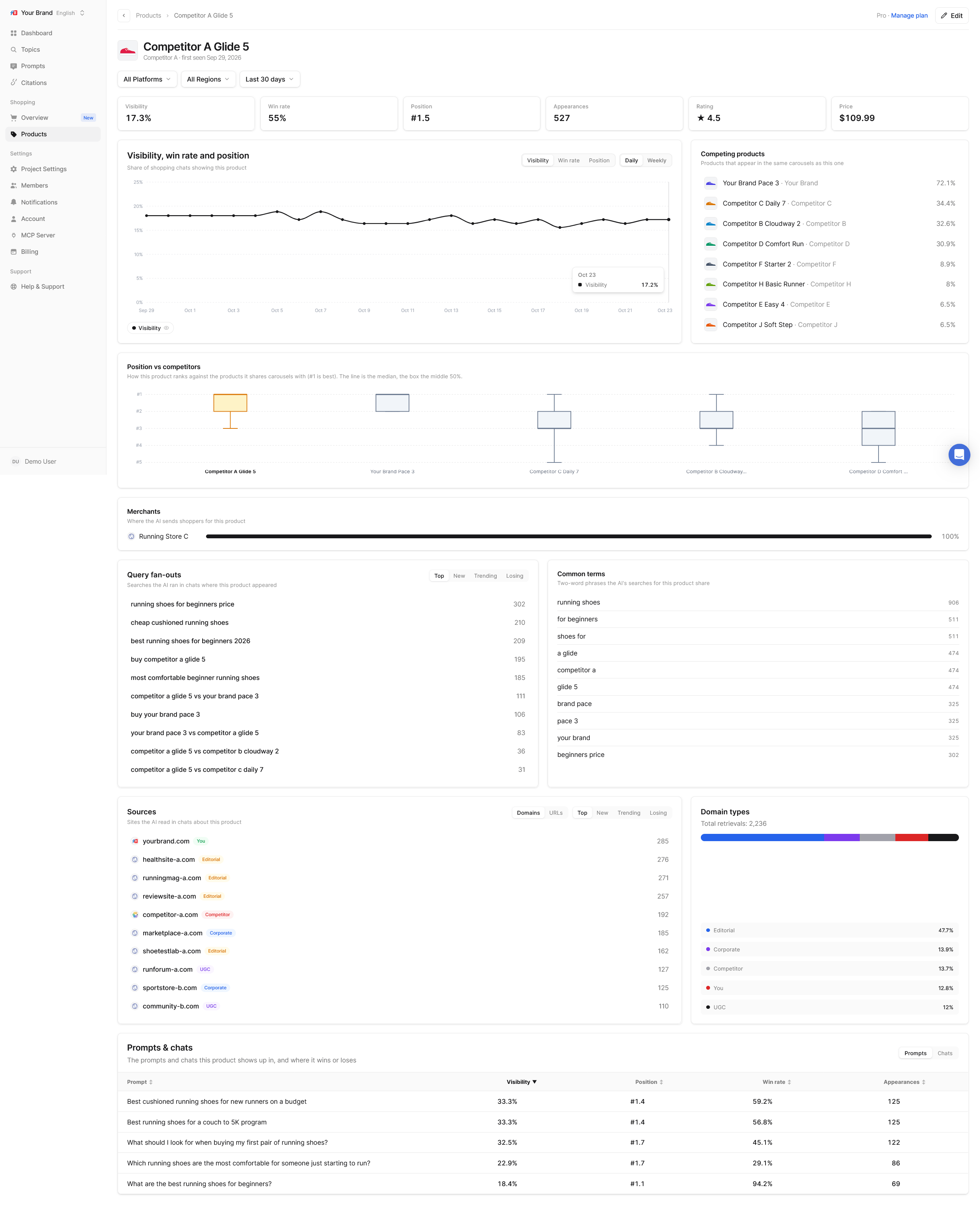
Product detail
Click a product to open its page:- Tiles: Visibility, Win rate, Position, Appearances, Rating and Price
- Visibility, win rate and position: the three metrics over time
- Position vs competitors: how this product ranks against the products it shares carousels with. The line is the median, the box covers the middle half of its positions.
- Competing products: products that appear in the same carousels
- Merchants: where the AI sends shoppers for this product
- Query fan-outs and Common terms: the searches the AI ran when this product appeared, and the phrases they share
- Sources: the domains and pages the AI read in chats about this product
- Prompts & chats: which of your prompts show this product, and every chat it appeared in, with the products and brands it appeared next to
Edit a product
AI platforms do not always name a product the same way. Echod groups the variations it sees into one product, and you can correct that grouping. Click Edit product to open the edit panel.- Display name, Price range, Brand and Category can be changed.
- Product variants lists the evidence behind the product: every variant Echod matched, how it was matched, its price and whether it came from an answer or your upload. Filter it to All, Mentions or Uploaded.
- Track variants: tick variants that are really a different product and split them off into their own tracked product.